Tech Talks

Technology In Depth

Latest Updates

Showing posts with label iOS. Show all posts

Apple's iOS 11 looks great, but Android O may keep Google in lead

02:18:00

Apple's iOS 11 looks great, but Android O may keep Google in lead


Technology Talks - apples-ios-11-looks-great-but-googles-android-o-is-better


Kicking a hornet's nest isn't always a good idea, but, what the heck. Apple's iOS 11 looks great, but, Google's Android O seems even better. This is strictly based on what Apple and Google have shown to us at their respective developer-centric conferences. An official roll-out - that would set the tone for how the two tech giants actually match vis-a-vis software would come later -- is expected sometime around September-October. Google's Android O already has a public beta out, while, Apple's iOS 11 just got its first developer preview up and running.

Apple had a lot to say about iOS 11 at WWDC. A lot of new features that would apparently make the iPhone and iPad (and the iPod) a lot more user-friendly were announced. Of course, a lot of them were kept under the wraps as well. But, iOS 11 seemingly has enough fire-power under the hood to make it look like Apple's biggest iOS update to date. More importantly, iPhones dating back to the good-old iPhone 5S would be updated to iOS 11, an effort that deserves applause even from the most dedicated of Android fans.

Google, on the contrary, had very little to say about Android O at I/O because in the words of vice-president of engineering for Android, Dave Burke, himself one keynote wouldn't suffice to put forth each and every feature that Android O would be bringing to the table.

Google's Android has been there, done that

If Android were a super-car and Google a Ferrari, at this point of time, it's simply fine-tuning the internals to make a car so good even better. It has, after all, everything that one would want at this point of time from an operating system, and then some more.

If that wasn't enough, Android O is clearly shaping to be a bigger deal than last year's Android N which was simply an incremental upgrade to 2015's Android M. Ever since M, Google has been slowly and steadily, upping the ante against battery draining apps. With version O, it seems, Google is looking to hit an all-time crescendo.

If Android were a super-car and Google a Ferrari, at this point of time, it's simply fine-tuning the internals to make a car so good even better


The most salient feature of Android O is said to be 'Background Execution Limits' or 'Wise Limits.' "Whenever an app runs in the background, it consumes some of the device's limited resources, like RAM. This can result in an impaired user experience, especially if the user is using a resource-intensive app, such as playing a game or watching video," Google says. "To improve the user experience, Android O imposes limitations on what apps can do while running in the background," it adds.


It's an extension of Doze (introduced in M), only a lot more forthright (and imposing) in approach. Just like Doze, you wouldn't know that it is silently working in the background though.

"If additional apps or services are running in the background, this places additional loads on the system, which could result in a poor user experience; for example, the music app might be suddenly shut down," Google says. Not to mention, simultaneously draining battery life as well. Android O's 'Wise Limits' feature will place restrictions on background apps to an extent that background apps that haven't been used for a long time will go in idle state "while users aren't directly interacting with them." And it will apparently be smart enough to recognize which apps deserve such a treatment. Since location services drain the most battery, chances are apps that have permission to use GPS will most frequently be put on idle when not in use. That's just one instance.

"Building on the work we began in Nougat, Android O puts a big priority on improving a user's battery life and the device's interactive performance. To make this possible, we've put additional automatic limits on what apps can do in the background, in three main areas: implicit broadcasts, background services, and location updates. These changes will make it easier to create apps that have minimal impact on a user's device and battery," Google had said while announcing the first Developer Preview of O in March earlier this year.

Apps will be restricted in two ways, according to Google:

Background Service Limitations: While an app is idle, there are limits to its use of background services. Location services for instance.Broadcast Limitations: With limited exceptions, apps cannot use their manifest to register for implicit broadcasts. Which means they wouldn't be able to send signals out for other apps or activities to act upon.

A couple of more additions to Android O that seem worthwhile include: granular notification controls and adaptive icons. "Channels let developers give users fine-grained control over different kinds of notifications - users can block or change the behavior of each channel individually, rather than managing all of the app's notifications together." Adaptive icons, meanwhile, are customisable icons that also have an animated angle to them.

In addition, Android O would bring picture-in-picture to phones that would let users continue to view a YouTube video in floating pint-sized format while continuing to their own stuff. Another handy addition would be Notification that would appear on the top right corner of an app with the ability previewing incoming emails, messages and more by simply long-pressing the corresponding app.Google's growing strides with machine learning and computer vision would meanwhile enable in intelligent recognition of context in applications, thereby making it easier to copy and paste. A feature called Google Lens would meanwhile, enable users to identify objects by simply pointing their phone cameras at them.

Apple's iOS has a lot of catching up to do, but, it's getting there

The iOS 11 update is a giant step for the iPhone and a monumental leap for the iPad, according to Apple. It brings along slurry of new features -- largely to the iPad -- that build upon the incumbent release creating a user experience that is supposedly a lot better for the end-user than last year's iOS 10. At the same time, iOS 11 lays ground work for the future, in that it "opens up to amazing possibilities for augmented reality in games and apps." That's right, Apple is finally embracing Augmented Reality, which is also said to be a major headlining feature of the special edition iPhone 8. Google, meanwhile, already has Tango for AR, and Daydream for VR.


Here are a few other notable additions:

-- At WWDC last year, Apple previewed the new messaging features -- stickers and apps -- for iMessage. This year, it has worked to somewhat redesign the interface, so everything is available in one place without adding to clutter. The new iMessage comes with a redesigned app drawer for apps and stickers, as also the ability to sync better with the iCloud so you can access it across the full range of Apple devices. Apple Pay -- Apple's mobile payments app - will meanwhile support person-to-person payments/transactions in iOS 11. Apple Pay will be integrated in the iMessage app itself, and, would be a one stop shop for sending and receiving money by a mere authentication of the users' fingerprint. Also, iMessage will intelligently notify users to make a transaction within the app itself. Google's Android already supports peer-to-peer transactions via Google Wallet, but then again, iMessage has been Apple's poster child since last year. It's getting even more attention from Apple, and should get some more, in the days to come.

-- The Control Centre in iOS 11 will see a complete overhaul in that it will be a single page affair as opposed to spanning multiple home screens in the incumbent iteration. The redesigned Control Centre will put all the controls you need in one place, and not three, as also provide more granular controls to them with Apple's 3D Touch functionality. Also, the lock screen and notification center will become a single entity in iOS 11. "To get to all your notifications, just pull it down like a cover sheet from the top of the screen. At a glance, you can see both your recent and missed notifications in one place," according to Apple. Google's notification setup, is any day, more though-out and easier to use than iOS, and by the looks of it Apple still has a lot to catch up to in this regard.

Apple is finally embracing Augmented Reality, which is also said to be a major headlining feature of the special edition iPhone 8. Google, meanwhile, already has Tango for AR, and Daydream for VR
-- Siri -- Apple's virtual assistant -- will be more useful in iOS 11, according to Apple, thanks to machine learning and artificial intelligence. It will be able to translate languages -- English to Chinese, French, German, Italian and Spanish to begin with -- and will be able to suggest topics based on user behavior. It will be able to learn words from articles you read online or offline, and suggest them when you type or make a calendar appointment based on what you searched on the web. Google's Assistant, is meanwhile, available on the App store for iPhone/iPad users to download and try out. Siri may be getting a better voice - with a male option to be available - in the new update, but, the level of detail that Assistant brings to the table would be hard to catch up. -- iOS 11 will finally bring a file manager to the iPad, but not the iPhone. The file manager app, called simply the Files, will be able to better organise how things are inside your iPad. "Not just the ones on your iPad, but also those in apps, on your other iOS devices, in iCloud Drive and across other services like Box and Dropbox," according to Apple. Android, on the other hand, has had a file manager for as long as one could remember.

-- iOS 11 in the iPad Pro will support Instant Markup. "Now you can mark up a PDF or screenshot faster and more easily. Step one, pick up your Apple Pencil. Step two, touch it to the screen. Step three, start writing," according to Apple. Also, it will bring in the ability to take notes directly from the lock screen by simply tapping on it with the Apple Pencil. Samsung's Note line-up of phones - that also run Android - introduced this feature in the Note 5.

-- Apple has also redesigned the App Store from ground up -- for the iOS 11 update -- so that apps are easily discoverable. The redesigned App Store will come with separate tabs for apps, games and today's featured apps. Also, there will be a separate slot for in-app purchases. Android already has a pretty well-stacked and very functional Play Store, and is now working on minimising malicious apps with the Google Play Project, which is basically a virus scanner for all apps on the Play Store.

-- And finally, ARKit. "ARKit is a new framework that brings augmented reality to hundreds of millions of iOS devices by allowing developers to easily build unparalleled AR experiences," according to Apple. Pretty soon, users will be able to engage in AR-experiences on their iOS 11 running devices because Apple has just rolled out a developer's kit for ARKit for them to design apps around the new platform. That's Apple finally embracing the future with arms wide open. But then again, Google has already been there, done that.
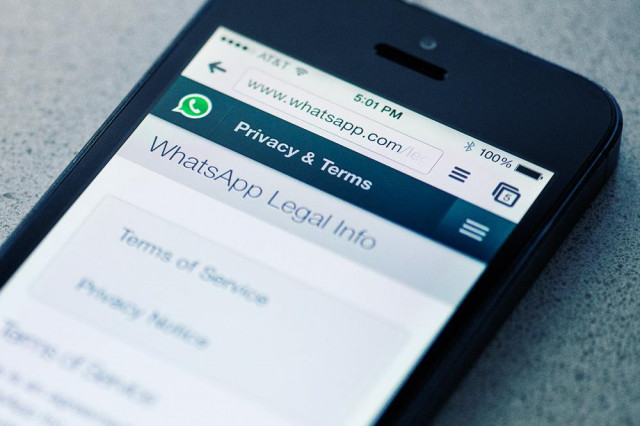

WhatsApp for iOS finally lets you hit send when you lose connection in the subway


WhatsApp for iOS finally lets you hit send when you lose connection in the subway

Good New for all Iphone Users!!

Technology Talks - Your WhatsApp messages will finally send -- even when you don't have service.


WHY IT MATTERS TO YOU
Your WhatsApp messages will finally send -- even when you don't have service.


I personally faced this thing many times!


The iOS version of the popular messaging app WhatsApp was given an update on 24 Jan 2017 that should be warmly received by anyone who frequently travels by subway or finds themselves in areas with spotty internet service. Now, users can queue messages for sending when a network connection isn’t available. Once a connection is reestablished, WhatsApp will now send all of those messages out automatically.

The Android app has had this capability since last year, as StackExchange forum users have pointed out, so this most recent update brings the iOS version to parity. Previously, the send button would only function when your iPhone was online. Post-update, the button is available at all times and pressing it queues the message. It’s a simple but essential tweak for those always on the go.


The app update also carries another much-requested feature: the ability to manage storage in specific chats. In the past, WhatsApp could display the amount of space occupied by different message types — like text, photos, and videos — but it lacked deep, granular control. Now, the Storage Usage screen within Settings has been expanded so users can delete by message type in individual conversations.

Rounding out the new features list, WhatsApp on iOS is now capable of sending out 30 photos or videos simultaneously, up from the previous limit of 10.

WhatsApp’s latest update comes weeks after the company had to refute a report from the Guardian that claimed to have found a security “backdoor” in the messaging platform. In reference to the allegations, WhatsApp told Digital Trends that the supposed flaw the Guardian was referencing was a deliberate design decision made to prevent “millions of messages from being lost.” Since then, various security experts have defended WhatsApp’s explanation, and the Guardian has amended the original article’s use of the word “backdoor.”is not fun when you accidentally send someone a message, but thanks to some sharp eyes, it appears as if WhatsApp might assuage those fears with the ability to recall and edit messages, XDA Developers reports.

Discovered in WhatsApp’s public beta, being able to recall and edit messages are not features that can be turned on — they are disabled by default, so they might not be ready for prime time. Even so, you can theoretically tap a message to then recall it, while you can edit a message through the overflow menu. It is unknown whether you have a certain amount of time to call back a message, but it will be nice to have these features for those prone to typos or for those times when you send a message to the wrong person.

Elsewhere, it appears as though WhatsApp will let you delete a status from the Status tab through a trash can icon in the action bar. Unfortunately, this feature is also disabled by default in the public beta, so folks might need to wait for a server-side update to get things rolling.

The upcoming features come as WhatsApp recently updated the iOS app version that includes the ability to queue messages, even when there is no Internet connection. The Android version has had that feature since 2016, so the update was more of a need to bring the iOS version to parity.

The news also come a few weeks after WhatsApp told Digital Trends that the security “backdoor” reported by The Guardian was deliberate. According to the company, this was to prevent “millions of messages from being lost,” with plenty of security researchers coming to WhatsApp’s defense and The Guardian altering its use of the word “backdoor.”

Apple’s iPhone turns nine: 5 ways it’s still better than Android

00:18:00

Apple’s iPhone turns nine: 5 ways it’s still better than Android

Technology-talks-iphone-vs-android-iPhone-still-better-then-android-tech-news-smartphones-gadgets-mobile-apple-technology-news-tech-talks-iphone-6s


Apple changed the world nine years ago when it released the first iPhone. It sounds hyperbolic but I assure you, the original iPhone quite literally reshaped the mobile industry. It also changed the way we access information and connect with each other. The giants of the industry at the time have now all but vanished. Android, which was being developed as a terrible BlackBerry copy, was reimagined and released as the platform we now know.

 Apple iPhone is still better than Android, See How?


There have been plenty of retrospective pieces covering the iPhone to celebrate its nine-year anniversary, and some have been fairly interesting. But in light of all the negativity currently surrounding Apple’s next-generation iPhone, I thought it might be nice to look at some of the ways Apple’s mobile phone is still far better than its chief rival, Android.
Technology-talks-iphone-vs-android-iPhone-still-better-then-android-tech-news-smartphones-gadgets-mobile-apple-technology-news-tech-talks-android-vs-iphone

iPhone vs Android

..................
.....................


1) User Experience >>

Beginning with the most broad advantage the iPhone and iOS have over Android devices, Apple’s UX is still in a league of its own.

Google has taken tighter control of Android in recent years and we see “pure Android” shine through more and more with each new handset generation. This has had a huge positive impact on the overall Android user experience, which had for a long time been a muddled mess. Even pure Android can’t quite compare to iOS though, which offers levels of simplicity and fluidity that are unmatched.

Tight inter-device integration and proprietary services also add to the experience. Products like iMessage and FaceTime don’t just lock users in, they offer superior quality and consistency. Sharing content between iPhones is also a snap. And if you own multiple Apple devices like an iPhone, iPad and MacBook, Continuity features bring better and tighter integration than you’ll find anywhere else.

Apple controls the hardware and the software experiences so the company is able to offer a product that aligns perfectly with its vision. Rumors suggest Google may finally be working on its own phone, but the company has quite a bit of ground to make up before it can even approach the experience Apple has crafted.

2) Software Updates >>

I wrote just about everything there is to write on this matter earlier this year.

In a nutshell, the open source Android distribution model that led to the platform’s success is also one of its biggest disadvantages. Almost no Android users have access to new updates when they’re released. Instead, they have to wait months or longer before they gain access to the latest features and security updates. Many Android phones will never have access to new releases even after just a couple of years.

The most widely used version of Android in the world right now was released in 2014. And Android Lollipop’s market share (35.4%) is just a few points higher than KitKat (31.6%), which was released all the way back in 2013.

3) Security >>

Apple’s iOS security is an advantage in so many ways. From encryption to general policy, Apple has a very pro-consumer approach to the way it protects its devices and services. And then you have app development and distribution to consider, which are controlled much more tightly by Apple than they are by Google.

There is no question that Android apps have exciting capabilities you won’t be able to enjoy on an iPhone. But all that freedom brings serious risks. Scary new malware that targets the Android platform is discovered on a weekly basis at this point. Meanwhile, as security expert Graham Cluley pointed out in a recent post, iOS hasn’t ever had a major malware incident.

4) Third-Party Apps >>  

It’s as true today as it was seven years ago when the App Store first launched: iOS apps are better than Android apps.

“Better” is subjective, so I’ll elaborate. Apple’s stricter guidelines for developers result in a far more consistent user experience across all iOS apps, first- and third-party. They look similar, they’re fast, they’re smooth, and they’re far more reliable than apps on rival platforms. As I’ve written before, the same app from the same top-tier developer will always offer a better experience on an iPhone than it does on an Android phone.

The third-party app ecosystem Apple has created is the main reason I can’t ditch the iPhone and switch to my favorite smartphone, which just happens to be an Android phone.

5) Customer Service and Support >>

Last but certainly not least is customer support, which is an area where Apple has no competition.

When you have a problem with your iPhone, Apple employees do everything they can to fix it. The best experience comes in Apple Stores, where friendly reps work with customers one-on-one to resolve any issues. And if an issue can’t be resolved, the customer walks away with a new iPhone that has already been filled with all of his or her data.

Apple’s phone support is nearly as impressive. In some ways, it’s even more impressive. Phone reps are friendly and patient, and they always do everything they can to resolve any issues and avoid having a device sent in for inspection. Often times you’ll even receive a follow-up call to ensure your issue was resolved and your device is still working properly.

Making a sale is the easy part and Apple knows it. After-sale service is yet another area where Apple shines far brighter than rivals, and it’s one of the main reasons iPhone buyers keep coming back.


Please share with us in comments - what you think which one is better for you, Either iPhone or Android?


Technology-talks-iphone-vs-android-iPhone-still-better-then-android-tech-news-smartphones-gadgets-mobile-apple-technology-news-tech-talks-iphone.jpg


Google India Now Lets You Flip Search Results Between English and Hindi

04:19:00
Technology-talks-google-india-now-lets-you-flip-search-results-between-english-and-hindi-google_search_hindi_results-tech-news-smartphones-gadgets-mobile-technology-news-tech-talks


Google India Now Lets You Flip Search Results Between English and Hindi


HIGHLIGHTS >>>>


The new Hindi search results tab will appear in select states

Google targets significant Hindi-speaking populations with new feature

Users in Delhi, Bihar and Haryana among others to get new Google feature


Google on Wednesday to cater users in India has started rolling out a new tab on search for mobile which will show results both in English and Hindi. The new move by Google makes sense as it will cater to users who are served with results in English regardless. With the new feature, users can type query in English and then flip the tabs to read the answers in Hindi, or vice versa.

The search engine giant says that the new tab in search results throwing Hindi results will show up to users state-wise. This means users in the states namely Bihar, Chattisgarh, Haryana, Himachal Pradesh, Jharkhand, Madhya Pradesh, Rajasthan, Uttarakhand, Delhi and West Bengal will start seeing the new Hindi tab alongside the query for any term which could be better served in Hindi language.

Google confirmed that the new tab search feature has started rolling out for mobile users and will show up on all browsers except UCBrowser and Opera Mini and will improve over time. The company explains that the feature is targeted at audience with significant Hindi-speaking populations. The new feature gives users a way to flip between English and Hindi searches when using the Google Search app or Google Search on any browser on Android or iOS.


Technology-talks-google-india-now-lets-you-flip-search-results-between-english-and-hindi-tech-news-smartphones-gadgets-mobile-technology-news-tech-talks-google-search-hindi


The new feature works for all queries, according to Google and lists some examples such as Samachar, Dil Chahta Hai, and Dhoni ka janam din kab hai. It adds that users can also look up health related information and view the results in Hindi.

Google's Shekhar Sharad, Product Manager, International Search, announcing the new feature in a blog post said, "Indians should be able to search for information online the same way they live: moving between multiple languages depending on the moment or the audience. For example, you may search for "samachar" in English, but you would rather be better served with results for a Hindi query."


How to Remove Your Number From Truecaller

01:27:00
Technology-talks-how-to-remove-your-number-from-truecaller-Android-Apple-Windows-phone-iPhone-ios-App-Store-Google-Play-tech-news-smartphones-gadgets-mobile-technology-news-tech-talks


Truecaller is a popular app that shows you contact details of unknown numbers calling you. It crowdsources contact details from all its users' address books. So even if you've never used the service, your name and number could be on Truecaller's database, thanks to someone else who's saved your contact details and allowed the app to access them.

Not everyone knows this, but for some fixed-line phones, Truecaller even lists the address of the landline. This doesn't mean much when telemarketers or spammers call from an office address, but ideally you wouldn't want strangers to know your home address just because you called them from your landline. Of course Truecaller sources this data from public data sources. This is because if someone knows your landline number, they can easily find the registered address via any publicly available phonebook (many telcos have this information public) or even by simply searching for your landline number on Google.


Technology-talks-how-to-remove-your-number-from-truecaller-Android-Apple-Windows-phone-iPhone-ios-App-Store-Google-Play-tech-news-smartphones-gadgets-mobile-technology-news-tech-talks


For this reason, you should consider removing your number from Truecaller's database. Note that you can't remove your number from the service if you are using the app. You'll have to deactivate your own account to get your number removed. If you were hoping to get just your number removed, while seeing contact details of everyone else who calls, you're out of luck.

If you are ready to remove Truecaller once and for all, here's what you need to do. If you are using the app on iPhone, Android, or Windows mobile, here's how to deactivate your Truecaller account.


Steps to deactivate your Truecaller account >>


Android >

Open the app > tap the people icon in the upper left corner > Settings > About > Deactivate account.


iPhone >

Open the app > tap the gear icon in the top right corner > About Truecaller > Scroll down > Deactivate Truecaller.


Windows Mobile >

Open the app and tap the three dots in the bottom right corner > Settings > Help > Deactivate account.

Once you have deactivated your Truecaller account, you can proceed to removing your number from the service. Here's how.


How to remove your number from Truecaller >>


1 Go to the Truecaller unlist page.

2 Enter your phone number with the correct country code. For example: +911140404040 or +919999999999.

3 Tick one of the reasons for unlisting, or if you wish, type your reasons for removal in the Other form.

4 Key in the verification captcha.

5 Click Unlist.


Truecaller claims that it removes these numbers up to 24 hours after receiving an unlist request. This doesn't always mean that your number will stay off the service forever. We'd removed our mobile number around a year ago but it started appearing again on the service a few days ago even though we've never used Truecaller. Your best bet is to keep checking with Truecaller users whether they see your contact details. If they don't, you're good to go. If not, you can always ask them to unlist your number.


WhatsApp Gets Message Quotes and Replies

23:08:00
Technology-talks-tech-news-tech-talks-smartphones-gadgets-mobile-whatsapp-gets-message-quotes-and-replies


WhatsApp Gets Message Quotes and Replies


HIGHLIGHTS >>>>


--- The replies appear alongside the original messages as quotes.

--- The feature is available for both Android and iOS.

--- It can be seen in both one-on-one and group conversations.


WhatsApp can quote messages you want to respond to


WhatsApp has got a new feature that will let users quote messages when replying. While earlier this week, the new feature was spotted in beta builds of WhatsApp for Android, it is now rolling out for most users across Android and iOS running the general release builds from Google Play and the App Store.

The message quotes and replies feature is self-explanatory and the user needs to long press a message in any conversation to see a reply option pop up alongside star, delete, forward, and copy.


Technology-talks-tech-news-tech-talks-smartphones-gadgets-mobile-whatsapp-gets-message-quotes-and-replies-whatsapp-for-android-message-quotes-replies


On tapping the reply button, the original message will appear as a quote, and users can reply to that. On the receiver's end, the quoted message will appear as a grey box with the reply below it. The feature works on one-to-one chats as well as group chats.

The Facebook-owned messaging service has been adding new features at a steady pace. The company was recently spotted testing the video calling feature briefly on its Android beta app. On the iOS beta of the app on the other hand, recently saw the inclusion of gif image sharing support.

Earlier this year, the messaging service WhatsApp announced that it now had 1 billion monthly active users.

The last major update to the platform was last month - the addition of document sharing on WhatsApp Web. Shortly before that, the company rolled out its first desktop app for Windows and OS X.


Apple to Introduce Major iPhone Redesign Every 3 Years: Report

02:47:00
Technology-talks-tech-news-tech-talks-smartphones-gadgets-mobile-tech-reviews-technology-news-apple-to-introduce-major-iphone-redesign-every-3-years-report-iOS-iPhone-iPhone-6-iPhone-6s-iPhone-7-iPhone-7-Plus


You must wait 3 years to have Newly Majorly Designed iPhone in your hand

...............................................................................................
..................................................................


HIGHLIGHTS >>

-- iPhone 7 is expected to not see much change in design.

-- A major redesign is tipped every three years, instead of two.

-- iPhone release in 2017 expected to see major changes.


In a new development, Apple has reportedly changed its iPhone product refresh cycle, and will now introduce major redesigns after a gap of three years. Unlike its traditional two years, Apple will now wait for three years to bring in major changes to the iPhone.

This change in the product refresh cycle has been attributed to a slowing market, and low innovation in smartphone functions. Major enhancements have little scope in the smartphone periphery, and hence Apple has changed its strategy.

This is why, all the iPhone 7 leaks show little change with respect to design, apart from the shift of antenna bands. Traditionally, Apple introduces an evolutionary change with its iPhone 's' models, and a revolutionary change with the new numeric. We saw a completely new design with the iPhone 6. The iPhone 6s saw hardware and software upgrades with no visible design changes, and users expected the iPhone 7 to go through a complete makeover.


Technology-talks-tech-news-tech-talks-smartphones-gadgets-mobile-tech-reviews-technology-news-apple-to-introduce-major-iphone-redesign-every-3-years-report-iOS-iPhone-iPhone-6-iPhone-6s-iPhone-7-iPhone-7-Plus


However, Nikkei.com reports that the big change will only come with the iPhone release in 2017, which has previously been reported to be called the iPhone 8 instead of the iPhone 7s. The iPhone 7 will see no drastic change. The report confirms that there will be upgrades in camera, and battery capacity. It reiterates past rumours of the iPhone 7 being water resistant, and also asserts that the 3.5mm audio jack will be removed. It also hints at the rumoured third variant by stating 'A high-end version of the model will give users better-quality photo capabilities via correction functions.'

Whether all of this is true remains to be seen. So far, rumoured specs include an A10 processor, dual camera setup and a 3GB RAM on the larger iPhone 7, and an upgrade to a new 32GB base variant finally ditching the 16GB storage option.


HTC 10 vs Samsung Galaxy S7 vs Xiaomi Mi 5 vs Apple iPhone 6s: Price, specifications, features compared

19:36:00
Technology-talks-tech-news-tech-talks-smartphones-gadgets-mobile-tech-reviews-htc-10-vs-samsung-galaxy-s7-vs-xiaomi-Mi-5-vs-Apple-iPhone-6s-price-specifications


With a price tag of Rs 52,990, does HTC’s 2016 flagship smartphone have enough to take on its competitors?


HTC launched its flagship smartphone, the HTC 10 in India. One of the key highlights of the smartphone is its metal unibody design, the front and rear cameras with OIS, fingerprint scanner embedded inside the home buttons and Android 6.0.1 Marshmallow OS. The smartphone will compete with the likes of Samsung Galaxy S7, Xiaomi Mi 5 and Apple iPhone 6s. We compared all four smartphones based on their price, specifications and features, here’s how they fare.

Price and availability:


The new HTC 10 is priced at Rs 52,990 and be available to purchase starting June 5. Samsung’s Galaxy S7 is priced at Rs 48,900 and is available across online and offline retailers, where the Xiaomi Mi 5 is priced at Rs 24,999 and is available to purchase via weekly sales on Mi.com. Apple’s iPhone 6s, on the other hand, is priced at Rs 46,499 for 16GB storage variant, Rs 59,360 for 64GB variant and Rs 68,400 for 128GB variant. It is available to purchase both online and at offline retailers.

Display:


The HTC 10 flaunts a 5.2-inch QHD Super LCD 5 display (2560x1440pixels), which according to HTC is up to 30 percent more colorful and up to 50 percent more responsive than its predecessor, the HTC One M9. Xiaomi’s Mi 5 comes with a 5.15-inch full HD (1080p) curved glass display whereas the Galaxy S7 comes with a 5.1-inch QHD display. The Apple iPhone 6s sports a 4.7-inch HD IPS LED-backlit LCD display.

Chipset and RAM:


Both the Xiaomi Mi 5 and HTC 10 are powered by Qualcomm’s Snapdragon 820 quad-core processor paired with Adreno 530 GPU. While the HTC 10 comes with 4GB of RAM, Xiaomi has equipped its Mi 5 with 3GB of RAM. Samsung’s Galaxy S7 is powered by an Exynos 8890 64-bit octa-core processor paired with 4GB of RAM, whereas the iPhone 6s is powered by Apple A9 dual-core processor paired with 2GB of RAM.

Storage:


The HTC 10 comes with 32GB of onboard storage and a microSD card slot for further expansion. The Xiaomi Mi 5 comes with 32GB onboard storage, whereas the iPhone 6s is offered in 16GB, 64GB and 128GB onboard storage options. Unfortunately, both smartphones lack the option of expandable storage. Samsung’s Galaxy S7, on the other hand, comes with 32GB of onboard storage and a microSD card slot for further expansion.

Cameras:


For shutterbugs, the HTC 10 is equipped with a 12-UltraPixel camera of aperture f/1.8 with optical image stabilization (OIS), laser auto-focus, and 4K video recording capabilities. Up front is a 5-megapixel auto-focus selfie camera of aperture f/1.8 with OIS. The Mi 5 sports a 16-megapixel rear camera with phase detection auto focus, 4-axis OIS and dual tone LED flash and a 4-megapixel front-facing unit.

Samsung’s Galaxy S7 is equipped with a 12-megapixel rear camera of aperture f/1.7 with phase detection auto-focus and optical image stabilization. It comes with duo-pixel technology that offers for faster auto-focus and a 1.4um pixel sensor to ensure good low light performance. For selfie lovers, there is a 5-megapixel front-camera of aperture f/1.7.

Apple’s iPhone 6s is equipped with a 12-megapixel rear camera of aperture f/2.2 with phase detection auto focus, dual-tone dual-LED flash and 4K video recording capabilities. Up front is a 5-megapixel sensor of aperture f/2.2 and it can record full HD videos too.

Battery:


The HTC 10, Mi 5 and Samsung Galaxy S7 are equipped with 3,000mAh non-removable batteries. While the HTC 10 and Mi 5 support Qualcomm’s Quick Charge 3.0 that can charge the battery from 0-80percent in 30 minutes, the Galaxy S7 includes support for fast charging and wireless charging. The iPhone 6s is equipped with a 1,715mAh battery, which Apple claims to offer talktime of up to 14 hours on 3G and up to 50 hours of music playback on single charge.

Connectivity:


The Mi 5 and HTC 10 come equipped with the USB Type-C connectivity port for charging and data transfer along with 4G LTE, Bluetooth, Wi-Fi 802.11ac and GPS connectivity options. The Mi 5 also includes support for dual SIM card slots.

Samsung’s Galaxy S7 features a micro-USB connectivity port, dual SIM card support (nano SIM and one hybrid slot which allows you to use either two SIM cards, or one SIM card and one microSD card). Other connectivity options include 4G LTE, Bluetooth, GPS and Wi-Fi 802.11ac. The iPhone 6s features connectivity options such as Wi-Fi 802.11ac, 4G LTE, Bluetooth and GPS.

Operating system:


The iPhone 6s runs on Apple’s iOS 9.3. While the Xiaomi Mi 5 runs on Android 5.1 Lollipop-based MIUI 7, it is due to get an update to Android Marshmallow based MIUI 8 in the coming weeks. Samsung’s Galaxy S7 runs on Android Marshmallow wrapped under TouchWiz UI, whereas the HTC 10 also runs on Android Marshmallow wrapped under HTC Sense UI 8.

Miscellaneous features:


HTC 10 features a metal unibody design, Boomsound Hi-Fi edition with Dolby Audio support, and 24-bit Hi-Res audio recording capabilities that can capture up to 256 times more details compared to standard recording.

Samsung’s Galaxy S7 sports a metal frame with front and back curved glass. The smartphone also includes a fingerprint scanner embedded within the home button and a heart rate sensor at the back. That’s not all; the Galaxy S7 also features IP68 certification for water and dust resistance capabilities.

The Mi 5 sports a unibody design with curved front and back glass, and also comes with a fingerprint scanner embedded within the home button. While the smartphone looks aesthetically appealing, we found it to be slippery in our day-to-day use. Apple’s iPhone 6s features a metal unibody desing and also comes integrated with a Touch ID fingerprint scanner embedded within the home button.

On paper, the HTC 10 has everything that one could expect from a flagship smartphone. However, we’re not quite pleased with the pricing. The Galaxy S7 which is almost Rs 4,000 cheaper is one of the best flagship smartphones currently out there, all in terms of battery life, features and functionality.


Key Comparison 

----------------------------------------------------

 HTC 10 vs Samsung Galaxy S7 vs Xiaomi Mi 5 

vs Apple iPhone 6s


Technology-talks-tech-news-tech-talks-smartphones-gadgets-mobile-tech-reviews-htc-10-vs-samsung-galaxy-s7-vs-xiaomi-Mi-5-vs-Apple-iPhone-6s-price-specifications-key-comparison


Copyright © Technology Talks - Tech News, Gadgets, Smartphones, Mobile, Tips & Tricks, Laptop & Reviews. Designed by OddThemes | Distributed By Gooyaabi Templates
Google Ads